Loading post
Lists: A Table You Design Yourself
2026-08-07
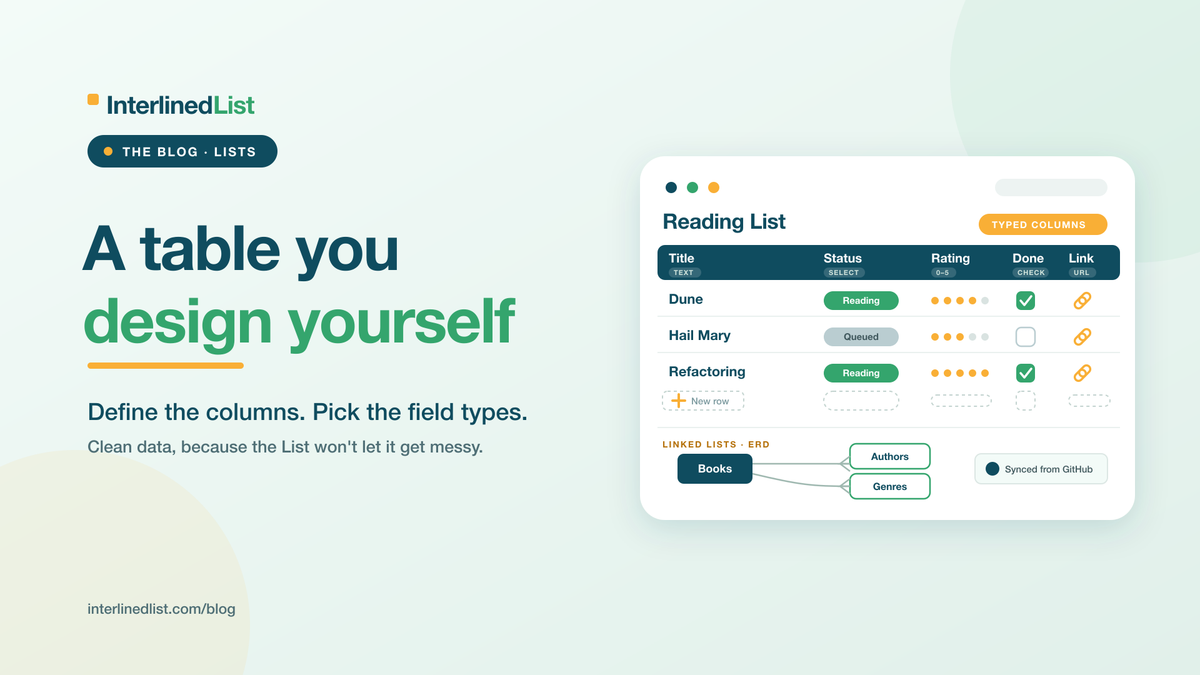
Some of us keep everything in tables. Reading lists, project trackers, a running log of every decision we've talked ourselves into. I'm one of those people, so Lists might be my favorite thing in here. It's part of the subscription, and honestly it's probably the reason you'll subscribe.
Design the Columns First
A List is a structured tracker you design yourself, without needing a spreadsheet or, heaven forbid, a database. You decide what it holds before you fill it. Give it a name, add fields, and pick a type for each one: text, a number, a date, a single choice from a dropdown, a checkbox, a URL, or a longer Markdown field.
image
That "pick a type" part is the whole point. A date field behaves like a date. A single-choice field only lets you pick from the options you set. Your data stays clean because the List won't let it get messy in the first place.
Then Fill In the Rows
Once the shape is set, you add rows and work with them in a grid, filtering column by column when the List gets long.
image
A reading list, a project tracker, a decision log, a catalog of anything you care about keeping straight. If it fits in a table, it fits in a List.
Lists That Know About Each Other
A single List is useful. Lists that connect are better. You can link them and see how they relate as an ERD diagram, the kind of entity map you'd normally have to draw by hand.
Two more things worth knowing. You can point a List at a code project you keep on GitHub and have it pull that project's open issues in automatically, so the tracker stays current without you copying anything across. And if you've already written a post that really wanted to be a List, you can turn it into one in a single step.
Give It a Try
Lists are a subscriber feature, and if you live in trackers the way I do, it's an easy call. Start free and upgrade when you're ready, or see everything the subscription includes.
That's the tour of the core three: posts, Documents, and Lists. From here I'll get into the pieces around them, starting with setting up cross-posting step by step.
Share this post
Subscribe for new postsSubscribe via RSS
We'll email you a summary and link when a new post goes live. Confirm via the email we send.